CalendarPA Free Scheduling Tool - Calendly Alternative 60-Second Setup
Premiumcalendarpa.com
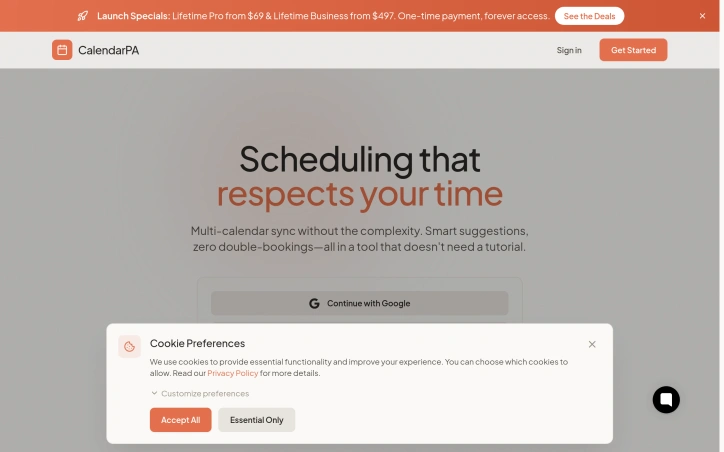
The simplest scheduling tool for freelancers, coaches, and teams. Multi-calendar sync, burnout protection, and Ada — an AI assistant that schedules via email, text, or chat. Free forever.
About
CalendarPA Free Scheduling Tool - Calendly Alternative 60-Second Setup
CalendarPA positions itself as a scheduler built for freelancers, coaches, and teams who want to stop juggling links, calendars, and burnout. At the center sits Ada, an AI assistant reachable by email, text, or chat; she books meetings for both sides without either participant ever seeing a booking link. Multi-calendar sync from Google or Microsoft runs in the background, helping to prevent double bookings while keeping the interface simple enough to skip tutorials.
The app keeps an eye on user well-being: it auto-blocks lunch periods and caps daily meetings as part of its burnout protection. Sellers can package services up front—offering, for instance, a ten-session coaching bundle—and the system tracks remaining credits automatically. Recurring sessions, classes, and group events are handled with capacity limits, waitlists, and instant payments via Stripe, Square, PayPal, or Stax. Flexible duration windows let invitees choose the exact time they need, while coupon codes and usage restrictions add pricing control. Workflow automation sends email and SMS reminders or follow-ups through visual, code-free sequences, and users can set booking limits by day, week, or month. A conflict view on the booking page shows invitees their own calendar overlaps, removing the need for back-and-forth checks.
Account set-up is advertised as a sixty-second process, starting with a free tier that connects two Google or Microsoft accounts, syncs four calendars, and unlocks Ada and basic reminders. Two lifetime deals—Pro at $69 and Business at $497—promise one-time payment and perpetual access. Pro expands to five accounts and ten calendars, adds all payment integrations at once, SMS reminders, group events, prepaid packages, discount codes, burnout limits, and contact tagging. Business removes caps on booking types, connected accounts, and calendar syncing, while bringing team management and automated round-robin assignment as upcoming features for as many as ten team members. Every paid plan holds a fourteen-day free trial before any charge.
Updated 4/29/2026