codeagent-mobile.com favicon

CodeAgent Mobile — Control AI Coding Agents From Your Phone

codeagent-mobile.com

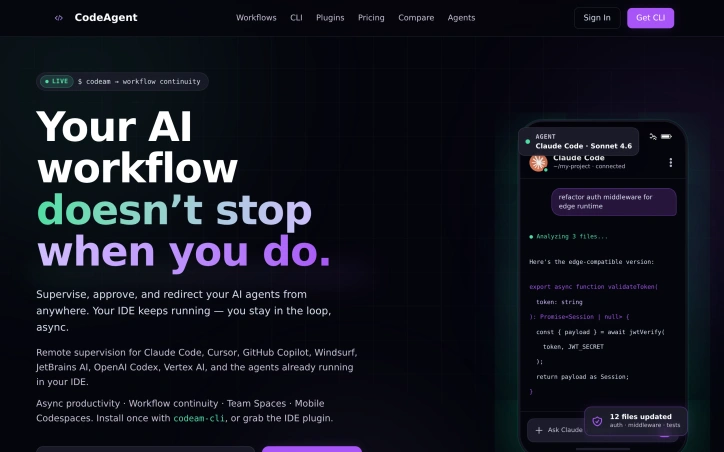
Your AI coding agents run for hours now, not seconds. CodeAgent Mobile is the supervision layer that follows you across devices — approve diffs, redirect prompts, and keep long-running agents on track from your phone, your IDE, or a Codespace you spun up while away from the desk.

Video Review
0:00 / 0:00

About

CodeAgent Mobile — Control AI Coding Agents From Your Phone

AI coding agents run for hours now, not seconds — and most developer workflows still pin you to a single screen while they do. CodeAgent Mobile is the supervision layer that follows you across devices. The agent keeps writing, refactoring, and shipping in your IDE; your phone (or laptop, or the web dashboard) becomes the checkpoint where you approve diffs, redirect prompts, and course-correct without breaking the session. That lets work survive your day. Stay in the loop while a long refactor builds during a meeting. Approve a diff from the metro before bed. Hand a live agent thread off to a teammate in a Team Space without restarting it. Spin up a GitHub Codespace from your phone when you're nowhere near the laptop. Voice prompts, attachments, and the agent's structured output — diffs, file ops, code blocks — all rendered as real components instead of terminal text. Install once: `npm install -g codeam-cli`, or the VS Code / Cursor / Windsurf extension, or the JetBrains plugin. Pair your phone with a 6-character code or a QR. Your existing agent — Claude Code, GitHub Copilot, Cursor, Windsurf, JetBrains AI, OpenAI Codex, Vertex AI, CodeRabbit, Aider — keeps running where it always did; we never proxy your code. Free to start; upgrade when your workflow depends on it.

Updated 6/1/2026

Key Features

Voice Prompts

Users can interact with AI agents using voice commands.

Team Spaces

Developers can collaborate with teammates by sharing live agent sessions.

Agent Pairing

Users can pair their phone with their IDE using a QR scan.

Cloud Workspace

Users can provision cloud workspaces from any device.

Async Control

Developers can supervise, approve, and redirect AI agents asynchronously.

Use Cases

01
Remote DevelopersDevelopers can continue their workflow on the go.
02
Collaborative TeamsTeam members can hand off live agent sessions without restarting.
03
Busy DevelopersDevelopers can keep their workflow moving from anywhere.

Ratings & reviews

No reviews yet. Be the first!