DOA Device Optical Aid
deviceopticalaid.com
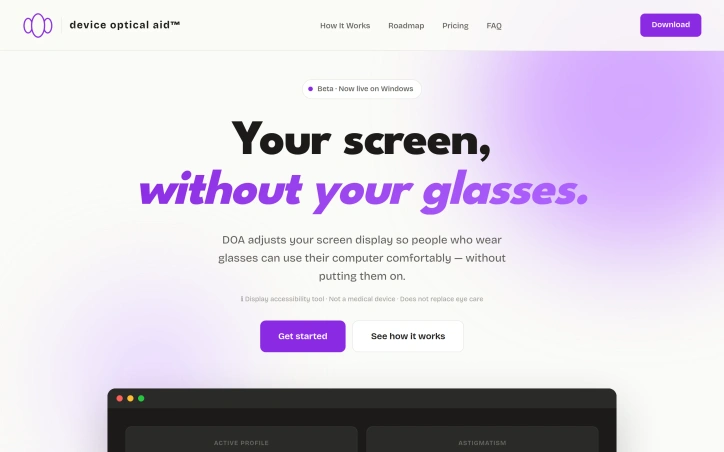
DOA adjusts your screen display so people who wear glasses can use their computer comfortably without them. A display accessibility tool for Windows.
Video Review
0:00 / 0:00
About
DOA Device Optical Aid
For people who wear glasses, using a computer can be uncomfortable without them. Device Optical Aid (DOA) adjusts the screen display so users can work or browse comfortably without their glasses. It is a display accessibility tool designed for Windows. To use it, users simply enter the numbers from their glasses prescription, and DOA adjusts their screen accordingly. The tool works with common prescription values, including SPH, CYL, AXIS, and ADD.
DOA runs at 60fps across every app on the user's screen, with a near-zero lag of 30-50ms. It also includes color adjustment modes for users with color vision deficiencies such as Protanopia, Deuteranopia, and Tritanopia. Additionally, it supports multiple monitors, allowing users to apply different display settings per monitor. The tool is designed with a privacy-first approach, processing everything locally on the user's device and never capturing sensitive information.
The effectiveness of DOA can depend on the user's prescription and display resolution. Users with stronger prescriptions tend to see more immediate results, while those with milder prescriptions may notice more subtle changes. Far-sighted users often see the clearest improvement with close-up screen tasks. DOA is available to start for free, with a premium option available for users who need additional features. Users can try it without committing to a purchase, and those who missed early access can still get it free.
Updated 5/18/2026
Key Features
Display Adjustment
adjusts screen display based on user's glasses prescription
Color Adjustment Modes
includes modes for users with color vision deficiencies
Multi-Monitor Support
allows different display settings per monitor
Local Processing
processes everything locally on the user's device for privacy
High Performance
runs at 60fps with near-zero lag of 30-50ms
Use Cases
01
Glasses Wearers — can work or browse comfortably without their glasses
02
Users with Color Vision Deficiencies — can use color adjustment modes
03
Far-Sighted Users — see clearest improvement with close-up screen tasks
04
Users with Strong Prescriptions — tend to see more immediate results
Ratings & reviews
No reviews yet. Be the first!
Preview
Site info
- Domain
- deviceopticalaid.com
- Status
- Active
- Listed since
- May 2026
- Domain age
- < 1 year
- SSL
- Secure
- Language
- en
Related listings

 Sponsor