everytask.io favicon

PDF Editor and Document Workflow Software EveryTask

everytask.io

Edit, sign and share PDF documents online. Create reusable templates, request signatures, collect feedback and track revisions in one place. Start free.
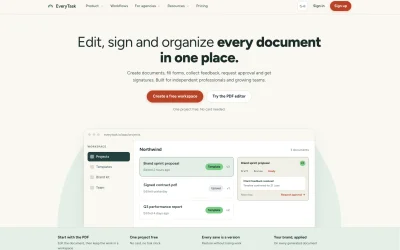
Preview of everytask.io

About

PDF Editor and Document Workflow Software EveryTask

PDF editing and document management converge in a single workspace designed to keep client files, revisions, and approvals organized from start to finish. Every Task handles the complete lifecycle of a document: users can edit, sign, annotate, merge, split, rotate, and redact PDFs directly in the browser without downloads or scattered files. The platform centers on a project-based structure that groups all documents for a particular client in one location. Uploaded PDFs and generated documents live side by side within these projects, and every save writes a new version rather than overwriting. Version history is retained indefinitely—restoring an earlier version moves a pointer rather than deleting later iterations, so no work is ever lost. Google Drive integration allows users to import a selected PDF directly into its client project, then edit, review, approve, sign, and retain the complete version history in one place. Signed contracts and client-supplied files occupy the same project space, and editing a file saves a new version rather than creating a separate download. Template functionality generates PDFs from structured fields rather than requiring manual layout work. Users pick a template, complete the fields, and the layout is applied automatically. Field values serve as the source of truth: updating a color in the brand kit updates documents created months earlier the next time they are saved. A centralized brand kit stores colors and fonts once, and every generated document applies these settings. Collaboration features include the ability to invite team members, comment on documents, and resolve threads. Clients can comment on documents without accessing another portal. Users can request approval, collect signatures, and track feedback within the same interface. The pricing structure includes one project free forever with no card required. The Basic tier includes multiple active projects and costs nothing to edit, merge, split, or sign. The tool targets independent professionals and growing teams who need to manage client workflows, proposals, reports, briefs, and invoices.

Updated 10/8/2026

Key Features

Project-Based Organization

Groups all documents for a particular client in one location with PDFs and generated files side by side

Version History

Every save writes a new version without overwriting, and restoring earlier versions moves a pointer so no work is ever lost

Google Drive Integration

Import selected PDFs directly into client projects to edit, review, approve, sign, and retain complete version history in one place

Template Generation

Creates PDFs from structured fields with automatic layout application, where field values serve as the source of truth and update retroactively

Browser-Based PDF Editing

Edit, sign, annotate, merge, split, rotate, and redact PDFs directly in the browser without downloads

Centralized Brand Kit

Stores colors and fonts once and applies these settings to every generated document with retroactive updates

Use Cases

01
Independent Professionals — Manage client workflows including proposals, reports, briefs, and invoices with project-based organization and version control
02
Growing Teams — Collaborate with team members through comments, approval requests, and signature collection within the same interface
03
Client-Facing Work — Allow clients to comment on documents without accessing another portal while keeping contracts and client-supplied files in one project space

Ratings & reviews

No reviews yet. Be the first!