LinguaX for macOS - Mouse Enhancement and Input Source Automation LinguaX
linguax.app
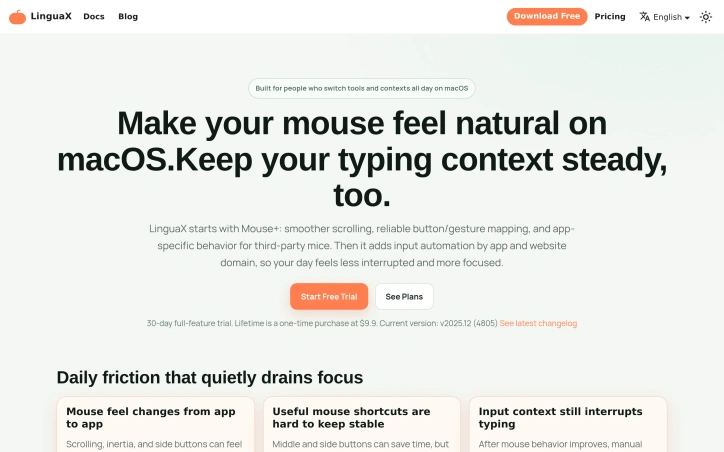
Improve third-party mouse feel on macOS with smooth scrolling and button mapping, then reduce typing interruptions with app/domain input automation. Start free, upgrade once.
Video Review
0:00 / 0:00
About
LinguaX for macOS - Mouse Enhancement and Input Source Automation LinguaX
Using third-party mice on macOS can be frustrating due to uneven scrolling, unreliable button control, and input context interruptions. LinguaX addresses these issues by improving mouse feel and reducing typing interruptions. It starts with Mouse+, which offers smooth scrolling, reliable button and gesture mapping, and app-specific behavior. Additionally, it includes input automation by app and website domain, allowing users to maintain their typing context.
The tool is designed to be straightforward, with simple app and domain rules that help remove repeated context-switch errors without requiring a complex setup. Users can start with a basic configuration and adjust it over time as needed. Diagnostics and app-scoped overrides are available for troubleshooting and customization.
LinguaX is particularly beneficial for individuals who use third-party mice and require precise mouse control on macOS, such as developers, designers, and operators who rely on repeatable mouse and keyboard actions. Multilingual users who need input automation without added complexity also benefit from the tool.
The software is built for modern macOS, runs locally, and keeps user rules on-device with optional iCloud sync. A 30-day full-feature trial is available, after which users can upgrade to a one-time Lifetime license for $9.9 if they choose to continue using it. The tool's design focuses on being diagnosable and maintainable, ensuring long-term stability through changelog-driven updates.
Updated 5/26/2026
Key Features
Smooth Scrolling
Offers smooth scrolling experience for third-party mice on macOS
Reliable Button Mapping
Provides reliable button and gesture mapping for precise control
Input Automation
Automates input by app and website domain to maintain typing context
App-Specific Behavior
Allows customization of behavior for specific apps
Diagnostics
Includes diagnostics and app-scoped overrides for troubleshooting and customization
Use Cases
01
Developers and Designers — Benefit from precise mouse control for repeatable actions
02
Multilingual Users — Can automate input without added complexity
03
Operators — Rely on repeatable mouse and keyboard actions for their work
Ratings & reviews
No reviews yet. Be the first!
Preview
Site info
- Domain
- linguax.app
- Status
- Active
- Listed since
- May 2026
- SSL
- Secure
- Language
- en
- Built with
- Cloudflare
Related listings