My2Do

Sponsor

my2do.app

By the BacklinkLog team: type tasks the way you would say them and My2Do sets the date and reminds you. Web, Android, desktop and command line, with a free plan.

Video Review
0:00 / 0:00

About

My2Do

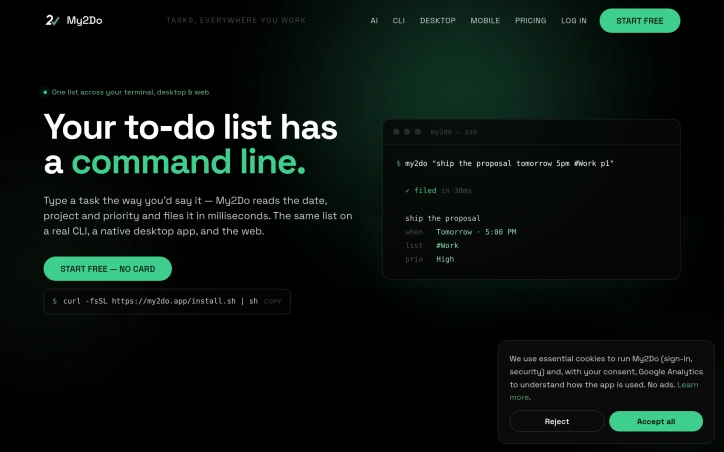
Your to-do list gets a command line with My2Do, a keyboard-first task manager that keeps one list in sync across a native desktop app, the web, and a real command-line client. Tasks are captured in plain English: a single line is read for the date, time, project, label, priority and repeat, then filed automatically in milliseconds. The web app delivers the full experience, including board, list, calendar, projects and labels, with nothing to install and always-current updates. The native desktop app sits in the dock and menu bar, with a global shortcut for capturing a task from anywhere and desktop reminders. The CLI is a single-file client installed by running one curl line, with natural-language capture that avoids switching context. A task can be added from a shell, checked off on a laptop, and reminded about on a phone. Every action has a shortcut from the app to the CLI, so the mouse is optional. An iPhone app is mentioned as upcoming, with updates available through an optional newsletter that can be unsubscribed from in one click. Privacy and ownership are central to the pitch. My2Do carries no ads, does not sell user data, and uses no trackers for hire or data brokers. Reminder emails are sent from its own self-hosted mail servers rather than a third-party marketing service. Tasks can be exported at any time, and deleting an account removes the data. The site uses essential cookies for sign-in and security, and Google Analytics only with consent. Pricing is straightforward. My2Do is free for life, with no trial, and is fully featured on web, desktop and CLI. Pro is a one-time $99 purchase that adds unlimited projects, calendar, custom columns and the developer API, with no seat-creep or surprise upgrades required to keep working. My2Do is built by a single developer rather than a growth team, with no investors, no ads to sell and no dark patterns. It is new, and it is designed to be a fast, private, keyboard-first list that people can simply own.

Updated 11/21/2026

Key Features

Natural-Language Capture

A single line of plain English is read for date, time, project, label, priority and repeat, then filed automatically in milliseconds.

Cross-Platform Sync

One list stays in sync across the web app, a native desktop app, and a command-line client.

Native Desktop App

It sits in the dock and menu bar, offering a global shortcut for capturing tasks from anywhere plus desktop reminders.

Single-File CLI

The command-line client installs with one curl line and supports natural-language capture without switching context.

Keyboard-First Shortcuts

Every action has a shortcut from the app to the CLI, so the mouse is optional.

Privacy-Focused Design

There are no ads, no data selling and no trackers for hire, with reminder emails sent from self-hosted mail servers and data exportable at any time.

Use Cases

01
Developers working in the terminal — The CLI lets them add tasks from a shell with natural-language capture and without switching context.
02
Keyboard-driven users — Shortcuts for every action from the app to the CLI make the mouse optional.
03
Privacy-conscious individuals — The service carries no ads, does not sell data, lets users export tasks at any time and removes data when an account is deleted.
04
Users wanting a one-time purchase — The free-for-life tier covers web, desktop and CLI, while Pro is a one-time $99 payment that adds unlimited projects, calendar, custom columns and the developer API.

Ratings & reviews

No reviews yet. Be the first!