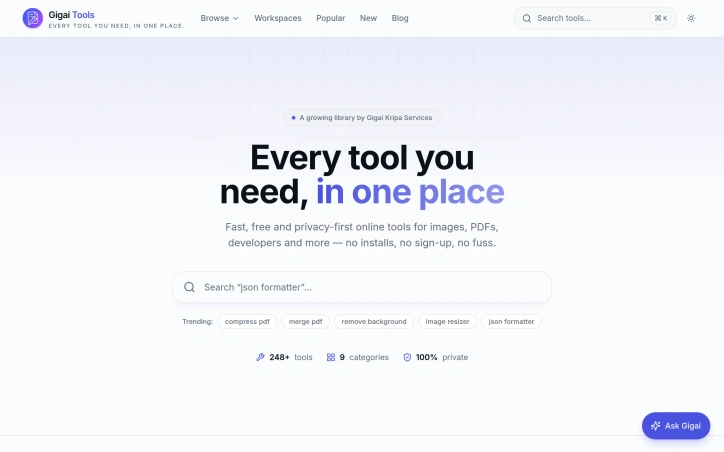
Gigai Tools — Every tool you need, in one place.
tools.gigaikripaservices.com
Free online tools that just work — image, PDF, developer, AI, business and video utilities. Fast, private, no sign-up. By Gigai Kripa Services.
Video Review
0:00 / 0:00
About
Gigai Tools — Every tool you need, in one place.
Free online utilities cover image manipulation, PDF handling, document conversion, audio editing, video processing, and developer workflows without requiring sign-up or software installation. All processing runs locally in the browser, meaning uploaded files never reach a server and privacy is maintained by default.
The image toolset includes compression for JPG, PNG, and WebP formats with quality preservation, pixel-accurate resizing with aspect-ratio locking and social media presets, and cropping with ratio snapping to formats like 1:1 or 16:9. Format conversion runs bidirectionally between PNG and JPG, allowing users to set background colors for transparency and adjust output quality. A background removal tool and WebP converter are also available, alongside an AI-powered image upscaler.
PDF capabilities center on editing, merging, and splitting. The browser-based editor supports text insertion, drawing, highlighting, signature placement, and page reordering or rotation before export. Merging combines multiple PDFs with drag-to-order sequencing, while splitting extracts individual pages or custom ranges.
Audio tools operate on MP3, WAV, M4A, and OGG files. Trimming uses waveform visualization to select and export precise segments, while cutting removes mid-file sections and rejoins the surrounding audio seamlessly. Merging joins multiple clips with optional crossfades, and joining creates gap-free sequences. Additional utilities adjust volume, playback speed, and reverse audio direction.
Developer tools, QR code generators, website and SEO utilities, SVG handlers, AI-driven features, and business-focused instruments round out the catalog. Curated collections group tools by popularity, recency, and trending status, while use-case browsing targets students, teachers, developers, designers, business users, and marketers.
Guided workflows walk through tasks such as launching a search-ready website, optimizing images for web deployment, and assembling PDFs for publication. A learning center and article library cover topics like PDF page extraction, aspect ratio fundamentals, converting PDF pages to slides, delimiter parsing, title writing, and SVG optimization. The platform imposes no file size limits, usage caps, or account requirements, and new tools are added on an ongoing basis.
Updated 7/4/2026
Key Features
Image Compression
Compresses JPG, PNG, and WebP formats while preserving quality.
PDF Editor
Supports text insertion, drawing, and page reordering within the browser.
Audio Editing
Allows trimming, cutting, and merging of audio files with waveform visualization.
Background Removal
Removes background from images.
AI Image Upscaler
Upscales images using AI power.
Use Cases
01
Developers — Offers developer tools and workflows for tasks like QR code generation and SVG handling.
02
Designers — Provides image manipulation and conversion tools with features like aspect-ratio locking.
03
Students and Teachers — Supports document conversion and PDF handling for academic purposes.
04
Marketers — Offers tools for image optimization and PDF assembly for publication.
Ratings & reviews
No reviews yet. Be the first!
Preview
Site info
- Domain
- tools.gigaikripaservices.com
- Status
- Active
- Listed since
- Jul 2026
- SSL
- Secure
- Language
- en
- Built with
- Cloudflare
Related listings
 Sponsor