YouTube transcripts, summaries and notes - Transkripe
transkripe.com
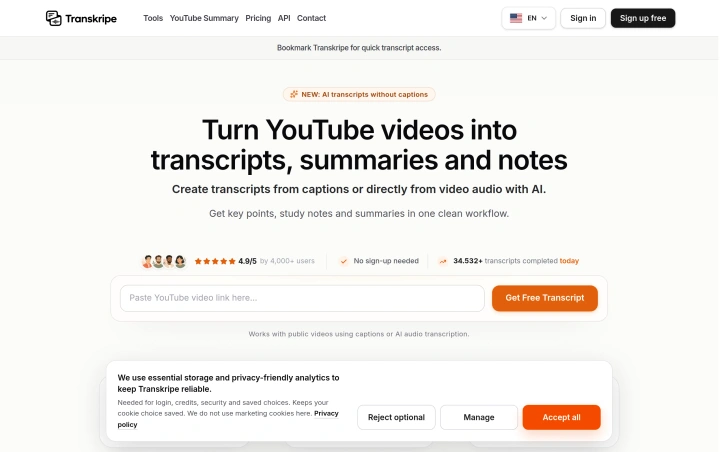
Turn YouTube videos into transcripts, summaries, notes and key points using captions or AI audio transcription.
Video Review
0:00 / 0:00
About
YouTube transcripts, summaries and notes - Transkripe
Transcribing YouTube videos into readable text is simplified with an application that generates transcripts, summaries, notes, and key points. The process begins by checking the video's captions; if captions are available, the transcript is generated for free without requiring a sign-up. If captions are missing, AI audio transcription creates the transcript after confirming credit usage. Users can copy or download the transcript as a .txt file at any time. The transcript can be transformed into various formats, including short and long-form summaries, study-style notes with clear headings, and bulleted key points. These outputs are grounded in the original transcript and can be used to create blog drafts, newsletters, social posts, quizzes, and scripts. The application supports transcription in over 100 languages and is designed to be fast, transparent, and credit-safe, with clear credit usage and refunds for failed AI transcriptions. The creator's goal is to make getting useful text from a YouTube video simple and straightforward, without complicated workflows or hidden fees. By using this application, users can quickly find the useful parts of a video, reuse ideas safely, and repurpose content into multiple formats.
Updated 5/26/2026
Key Features
Multi-Language Support
The application supports transcription in over 100 languages.
Transcript Generation
Generates transcripts for free if captions are available.
AI Audio Transcription
Creates transcript using AI if captions are missing.
Customizable Output
Transforms transcript into various formats like summaries and notes.
Credit Management
Displays clear credit usage with refunds for failed AI transcriptions.
Use Cases
01
Content Creators — Can reuse and repurpose video content into multiple formats like blog drafts and social posts.
02
Educators — Can create study-style notes and quizzes from video content.
03
Researchers — Can quickly find useful parts of a video and generate summaries.
04
Marketing Teams — Can transform video content into newsletters and scripts.
Ratings & reviews
No reviews yet. Be the first!
Preview
Site info
- Domain
- transkripe.com
- Status
- Active
- Listed since
- May 2026
- Domain age
- < 1 year
- SSL
- Secure
- Language
- en
Related listings

 Sponsor