usesuno.com favicon

usesuno.com

usesuno.com

How to use Suno better? Try usesuno.com! Free Suno online tools and prompt builder.

Video Review
0:00 / 0:00

About

usesuno.com

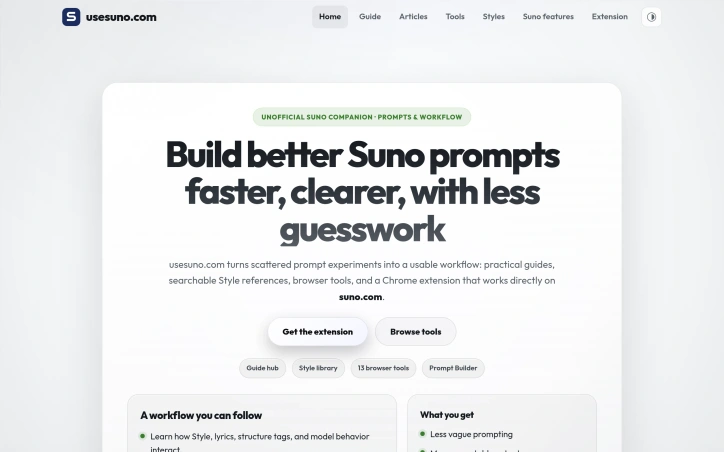
Suno creators who want to move from random results to repeatable output can access a collection of guides, a searchable style library, thirteen free browser tools, and a Chrome extension organized around practical workflows. The site serves two primary audiences: those new to Suno and power users seeking to systemize their daily workflow. The thirteen browser tools require no usesuno account and include a Prompt Builder that stacks style strings from five pillars—genre, instruments, mood, vocal, and production. A style string cleaner deduplicates tags, trims spaces, drops hype words, and fits character budgets. An exclude styles generator produces clean lists for Suno's exclude control, while a random style generator rolls full style ideas across the five pillars with the option to lock preferred elements and re-roll the rest. The lyrics text diff compares original and revised lyrics side by side with per-line counts. A structure tag helper inserts verse, chorus, and bridge tags and flags unrecognized tags, and a lyrics tag normalizer converts CJK, Spanish, French, and other section tags into standard English structure markers. The duration estimator calculates singing length by pace with per-section breakdown. Download tools include a Suno downloader that saves audio, video, and cover art from song links, a playlist downloader that exports every song as MP3 or the entire playlist as ZIP, and a cover art downloader that retrieves clean square images at specified sizes. The song inspector retrieves title, creator, style tags, duration, and lyrics from public Suno links, and the batch link parser converts multiple Suno links into a table and exports metadata as CSV or JSON. Text and prompt tools process input locally, while link-based tools fetch public Suno pages or assets over the network. The Suno Prompts Manager extension opens on suno.com so creators can save, search, and apply style prompts without leaving the generation flow. Eight focused guides cover prompts, lyrics, vocals, genre blends, arrangement, production, and troubleshooting. The site also provides a searchable style library with examples and an unofficial overview of Suno features including voices, custom models, personas, stems, and ReMi. All tools and resources are free.

Updated 8/19/2026

Key Features

Thirteen Free Browser Tools

A collection of specialized utilities including prompt builders, style cleaners, lyric comparisons, and download tools that work without requiring an account.

Prompt Builder with Five Pillars

Stacks style strings across genre, instruments, mood, vocal, and production categories to create structured prompts.

Chrome Extension for Suno

A prompts manager that integrates directly with suno.com to save, search, and apply style prompts within the generation workflow.

Batch Processing and Export

Tools like the playlist downloader and batch link parser enable exporting multiple songs, metadata as CSV or JSON, and entire playlists as ZIP files.

Lyric Structure Tools

Helpers that insert verse and chorus tags, normalize multilingual section markers to English, and estimate duration by pace with per-section breakdowns.

Searchable Style Library and Guides

Access to a library of style examples and eight focused guides covering prompts, lyrics, vocals, genre blends, arrangement, production, and troubleshooting.

Use Cases

01
New Suno UsersBeginners can learn through eight focused guides and use the prompt builder to understand how to structure effective style strings.
02
Power Users Seeking Workflow EfficiencyAdvanced creators can systemize their daily process with batch tools, the Chrome extension, and utilities that eliminate repetitive tasks.
03
Creators Moving from Random to Repeatable OutputMusicians who want consistent results can use the style library, locked-element random generator, and structured prompt tools to refine their approach.
04
Content Creators Managing Multiple SongsUsers can download entire playlists, compare lyric revisions side-by-side, and export metadata in bulk for documentation or organization.

Ratings & reviews

No reviews yet. Be the first!