vault.cloudstrategy.ai favicon

Calc Vault — Encrypted Private Vault for iPhone

vault.cloudstrategy.ai

AES-256 encrypted vault for photos, videos, notes, and private messages. Access it through a real, working calculator.

Video Review
0:00 / 0:00

About

Calc Vault — Encrypted Private Vault for iPhone

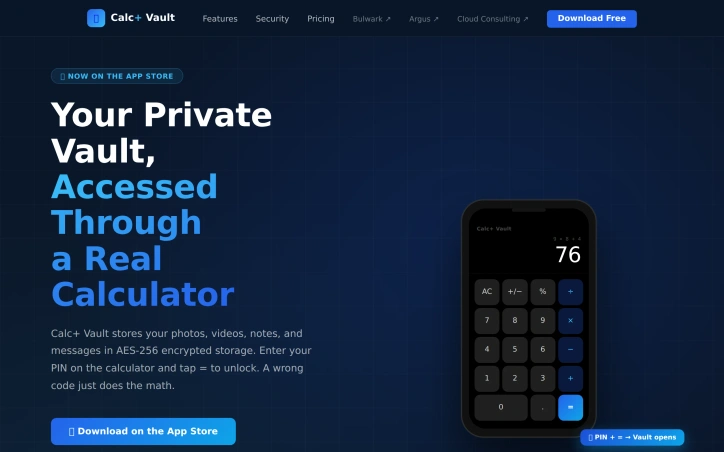
Private data protection takes the form of a disguised calculator app in Calc+ Vault, which encrypts photos, videos, notes, and messages behind a fully functional calculator interface for iOS devices. Users access their vault by entering a PIN on the calculator keypad and tapping equals; entering an incorrect code simply displays the mathematical result, maintaining the calculator disguise. The vault operates on AES-256 encryption, the same standard used by governments and banks. Each file receives individual encryption within a protected sandbox on the device. Photos and videos imported into the vault exist as encrypted copies while originals remain untouched in the device's Photos app. The vault PIN itself is stored in the iOS Keychain and protected by the device's Secure Enclave rather than on external servers. When users exit the app, the vault locks immediately and the calculator interface replaces it in the app switcher. End-to-end encrypted messaging and VoIP calls function between Calc+ Vault users, with all communications remaining encrypted within the app. The Ultimate plan adds outbound calling and SMS capabilities through a shared toll-free line, providing 120 minutes per month for calls to any US and Canada number without requiring a personal phone number. A private browser operates entirely within the vault, storing history, cookies, and cache only inside the encrypted environment and clearing everything upon locking. Additional security layers include per-folder PIN protection, allowing individual folders to require a separate code beyond the main vault PIN. Face ID and Touch ID support enables biometric unlocking. iCloud sync creates encrypted backups across iPhone and iPad devices. Secure share links allow file distribution outside the vault through encrypted, time-limited URLs without exposing vault contents. Three pricing tiers exist with introductory discounts up to 50 percent. The free tier includes 5 contacts, 5 documents, unlimited vault storage, encrypted messaging, and vault-to-vault VoIP calls. Pro and Ultimate plans add the outbound calling feature with the shared Twilio line. The app requires iOS 17 or later and runs on iPhone and iPad. All subscriptions process through the App Store with cancellation available anytime.

Updated 7/5/2026

Key Features

Calculator Disguise

Access your encrypted vault by entering a PIN on a fully functional calculator interface that displays math results for incorrect codes

AES-256 Encryption

Individual file encryption using government and banking-grade standards, stored in a protected sandbox with PIN secured in iOS Keychain

End-to-End Encrypted Messaging

Send encrypted messages and make VoIP calls between Calc+ Vault users with all communications remaining encrypted within the app

Outbound Calling via Shared Line

Make 120 minutes of monthly calls to any US and Canada number through a shared toll-free line without using your personal phone number

Private Browser

Browse within the vault with history, cookies, and cache stored only in the encrypted environment and automatically cleared upon locking

Per-Folder PIN Protection

Apply individual PIN codes to specific folders beyond the main vault PIN for additional security layers

Use Cases

01
Privacy-conscious individualsProtect sensitive photos, videos, and documents behind a disguised interface that appears as a simple calculator app to casual observers
02
Secure communicatorsExchange encrypted messages and make private calls with other users without exposing communications on external servers
03
Professionals with confidential dataStore and access work documents with government-grade encryption while maintaining plausible deniability through the calculator disguise
04
Users needing anonymous outbound communicationMake calls to US and Canada numbers without revealing your personal phone number using the shared toll-free line

Ratings & reviews

No reviews yet. Be the first!