www.vanityfilter.com favicon

VanityFilter: Skin smoothing for video that knows where skin ends

www.vanityfilter.com

Natural skin smoothing for video on your PC. Precise per-person masks, GPU export, no cloud, no subscription.

Video Review
0:00 / 0:00

About

VanityFilter: Skin smoothing for video that knows where skin ends

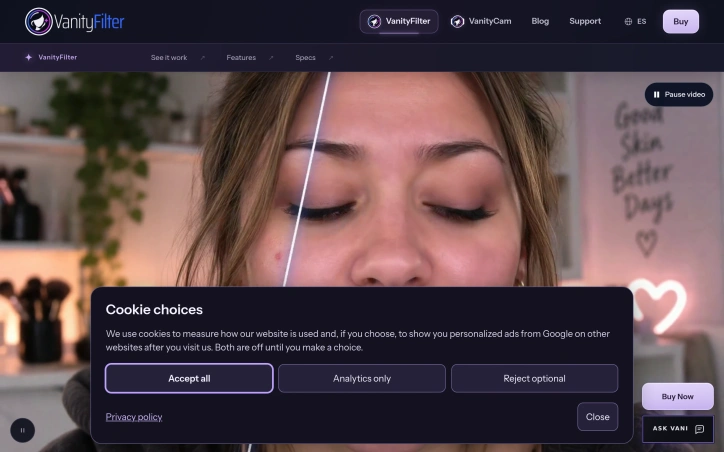
VanityFilter is a Windows application designed for natural skin smoothing in video footage, marketed particularly for news and interview content. The software applies per-person facial masks that distinguish skin from surrounding features, retouching complexion while leaving eyes, hair, clothing, and backgrounds untouched. Three neural networks power the detection and segmentation system, identifying every face in a frame—including profiles—and generating individual masks based on sampled skin color for each person. The workflow consists of four stages: opening clips in supported formats (MP4, MOV, AVI, MKV), previewing frames sampled across the timeline with live face counts, tuning the treatment using five presets and sixteen adjustable sliders, and exporting the processed footage. A mask view mode displays the computed boundary directly on screen, allowing editors to verify that smoothing remains confined to skin areas. The preview pipeline matches the export pipeline, ensuring consistent results between what appears during setup and final output. Version 3.0 introduced blemish removal, which repairs spots before smoothing is applied. The current release, version 3.1.5, offers controls for strength, detail preservation, texture repair, shine reduction, and redness adjustment. Users can save custom treatments to four slots for repeated application across batches. Export options include ProRes 422 HQ for color grading workflows or a grayscale mask matte for compositing in Adobe Premiere Pro or DaVinci Resolve, with audio automatically included. The application handles single clips or batch processing through both the interface and an included command-line tool that processes entire folders overnight using saved settings. VanityFilter positions itself as a pre-edit preparation tool rather than a timeline plugin, allowing creators to polish footage before importing to their nonlinear editor or to automate processing of archived content. The software operates on a one-time license model without subscription fees. A trial version is available, and the company mentions creator codes as a purchasing option.

Updated 10/9/2026

Key Features

Per-Person Facial Masking

Three neural networks detect every face in a frame and generate individual masks based on sampled skin color for each person

Blemish Removal

Repairs spots and imperfections before smoothing is applied, introduced in version 3.0

Adjustable Treatment Controls

Offers five presets and sixteen sliders controlling strength, detail preservation, texture repair, shine reduction, and redness adjustment

Batch Processing

Processes single clips or entire folders overnight using a command-line tool with saved settings

Export Options

Supports ProRes 422 HQ for color grading workflows or grayscale mask mattes for compositing in Adobe Premiere Pro or DaVinci Resolve

Mask View Mode

Displays computed boundaries directly on screen to verify smoothing remains confined to skin areas

Use Cases

01
News and Interview Content — Editors can polish footage with natural skin smoothing while leaving eyes, hair, clothing, and backgrounds untouched
02
Pre-Edit Preparation — Creators can prepare and polish footage before importing to their nonlinear editor rather than using timeline plugins
03
Archived Content Automation — Users can automate processing of large batches of archived footage overnight using saved custom treatments
04
Color Grading Workflows — Editors can export ProRes 422 HQ footage for professional color grading or use grayscale mask mattes for compositing

Ratings & reviews

No reviews yet. Be the first!